TDTradeDocsStudio
Menu

Free Chrome extension

Service Business Toolkit

Three small tools for owners of trade businesses and independent clinics: a job price calculator that accounts for payroll burden and overhead, the nine-document paperwork checklist, and a no-show cost estimator. Nothing to sign up for, nothing leaves your computer.

Coming to the Chrome Web Store — under reviewPrivacy policy

Works offline · one permission (storage) · no account · no tracking

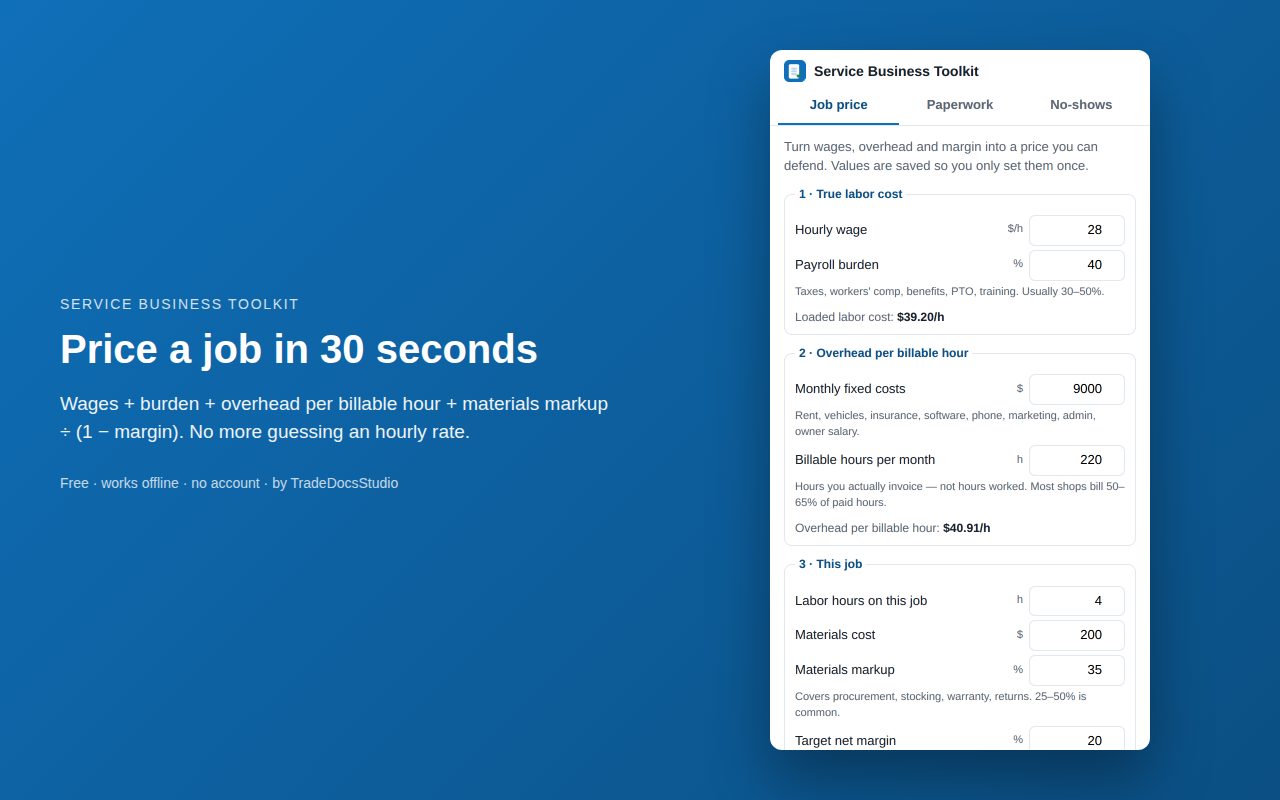
The Service Business Toolkit popup showing the job price calculator with wage, burden, overhead and margin fields

What you can do with it

Job price calculator screenshot

Job price calculator

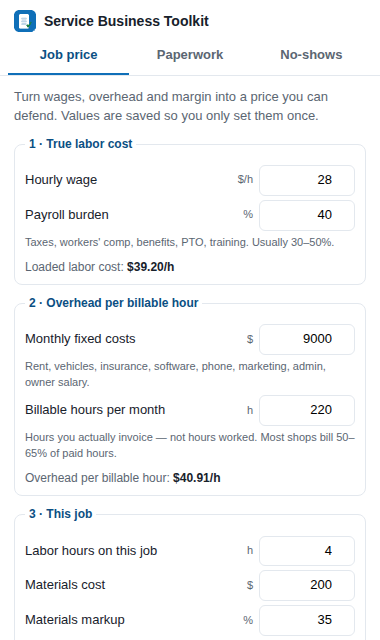
Wage + payroll burden + overhead per billable hour + materials markup, divided by (1 − target margin). Shows loaded labor cost, overhead recovered, the quote price, the effective hourly rate and a break-even warning. Your shop figures are saved so you only enter them once.
Read the pricing method

Paperwork checklist screenshot

Paperwork checklist

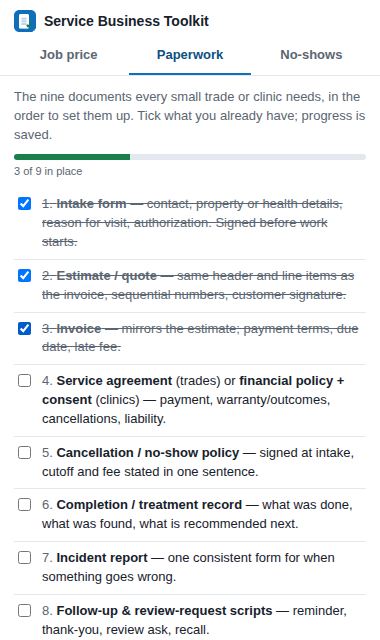
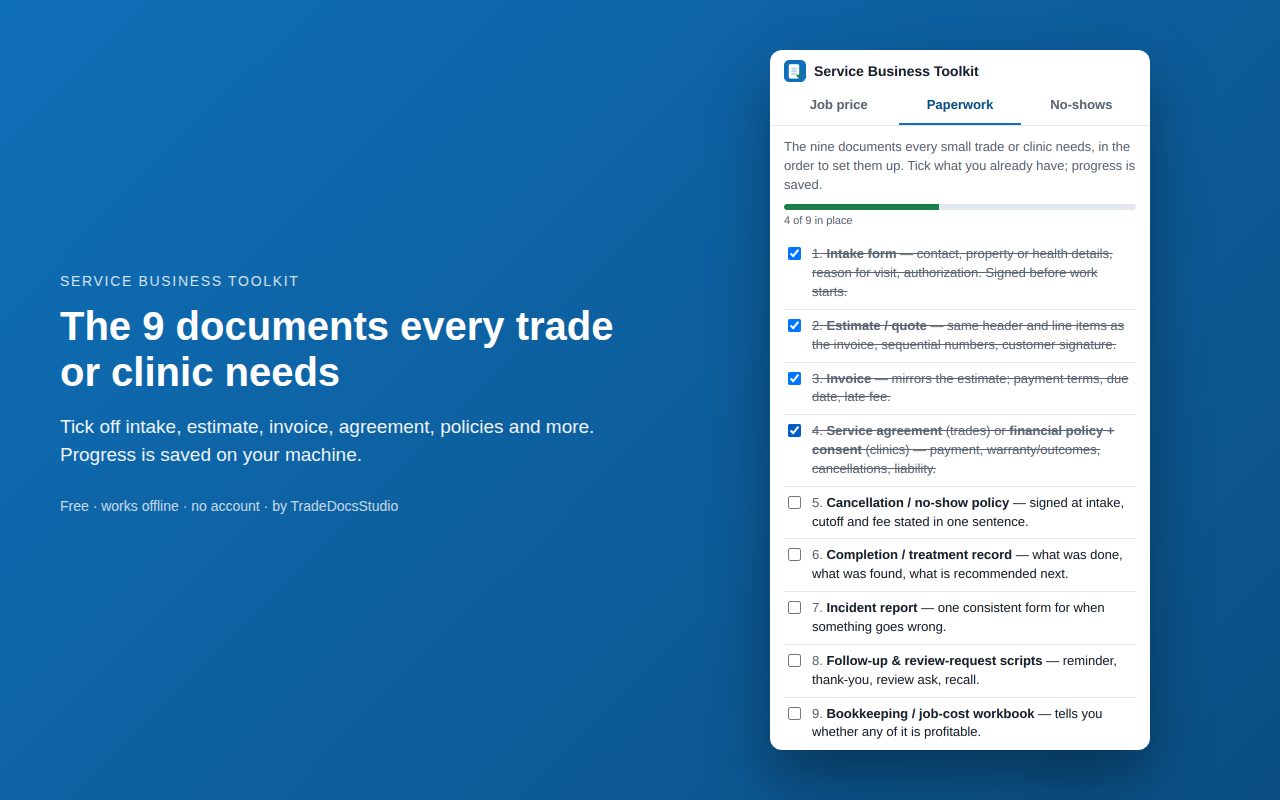
Intake form, estimate, invoice, service agreement or consent, cancellation policy, completion record, incident report, follow-up scripts and a bookkeeping workbook — in the order to set them up, with a progress bar that remembers what you have ticked.

Read the checklist guide

No-show cost estimator screenshot

No-show cost estimator

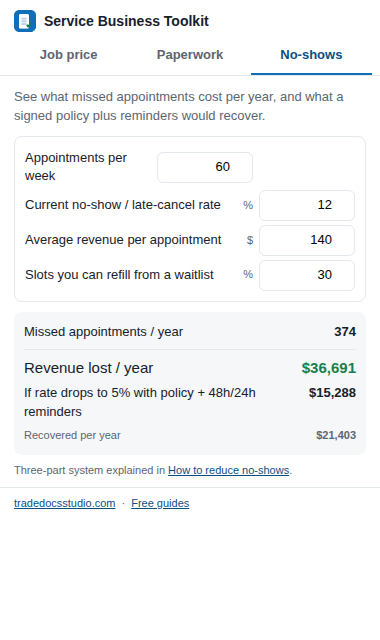
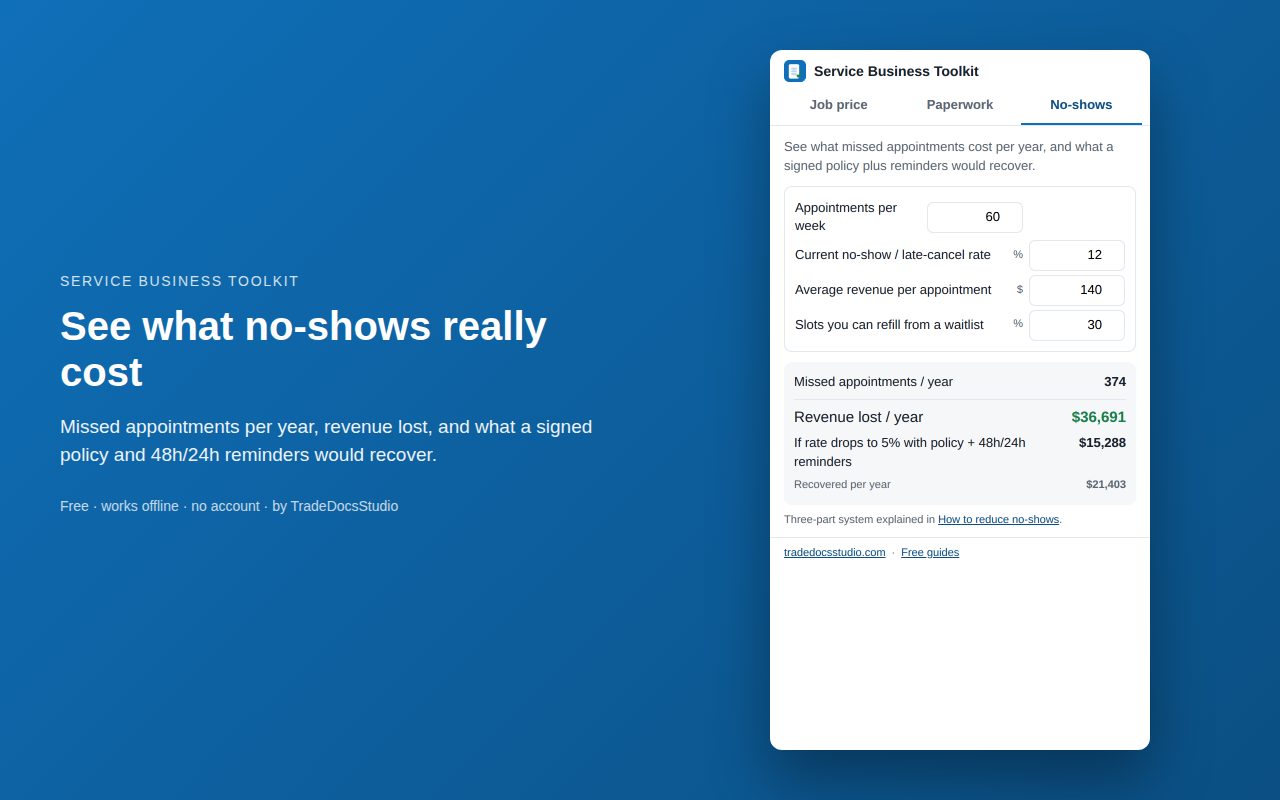
Appointments per week, current no-show rate, average revenue per visit and how many slots a waitlist refills. Shows missed appointments per year, revenue lost, and what a signed policy plus 48h/24h reminders would recover.

Read the no-show guide

How to use it

  1. 1

    Install it from the Chrome Web Store

    Click Add to Chrome, confirm the single permission (storage), and the toolkit icon appears next to your address bar. Pin it from the puzzle-piece menu so it is one click away.

  2. 2

    Set your shop numbers once

    Open the Job price tab and enter a technician's hourly wage, your payroll burden, monthly fixed costs and the hours you actually invoice each month. The toolkit turns those into your loaded labor rate and overhead per billable hour, and remembers them.

  3. 3

    Price a job in seconds

    For each job, enter labor hours, materials cost, markup and the margin you want. You get the quote price, the effective rate per labor hour and a break-even warning so you never price below cost.

  4. 4

    Work through the paperwork checklist

    The Paperwork tab lists the nine documents every small service business needs in the order to set them up. Tick what you already have; the progress bar shows what is left. Each item links to a ready-made template if you want one.

  5. 5

    See what no-shows cost

    On the No-shows tab enter appointments per week, your current no-show rate and average revenue per visit. The toolkit shows the yearly cost, and what a signed cancellation policy plus 48-hour and 24-hour reminders would recover.

Paperwork checklist tab with three of nine documents tickedNo-show cost tab showing yearly revenue lost and recovered

Who it is for

Owner-operators and office managers in HVAC, plumbing, pool service, pest control and locksmith businesses, and in dental offices, med spas, IV hydration clinics, physical therapy clinics, chiropractic offices and home health agencies — the same businesses our editable form templates are written for. If you price jobs, chase paperwork or lose money to no-shows, the three tabs cover the arithmetic you keep redoing on paper.

Extension FAQ

Is the extension really free?

Yes. There is no paid tier, no account and no trial. It is a small utility we built from our own guides; if you find it useful, the guides and templates on this site are where to go next.

Does it send my numbers anywhere?

No. The extension has no background process, no content scripts and makes no network requests. The values you enter are saved by Chrome on your own computer so they are still there next time you open it. Removing the extension deletes them.

Which browsers does it work in?

Google Chrome and other Chromium browsers that install from the Chrome Web Store, such as Microsoft Edge and Brave.

Why does it ask for the storage permission?

That single permission is what lets Chrome remember your wage, overhead and checklist ticks between uses. It grants no access to web pages, tabs or browsing history.

Where do the formulas come from?

The job price calculator follows the labor-burden, overhead-per-billable-hour and target-margin method in our pricing guide. The no-show estimator uses the policy-plus-reminders approach in our no-show guide. Both guides are linked on this page.

Can I suggest a tool?

Yes. Email [email protected]. Requests we hear more than once become the next version.

Privacy: the extension stores your inputs locally and transmits nothing. Full details in the extension privacy policy and the site privacy policy.